
Copilot in OneDrive, real Modern Work wins, and finally one link that does not break

Microsoft has brought Copilot into the heart of OneDrive. The result is simple, you get answers and summaries next to the files you already use. Below is what matters for enterprise teams, the first features to try, and the guardrails to keep in place.
Sharing that does not break your links

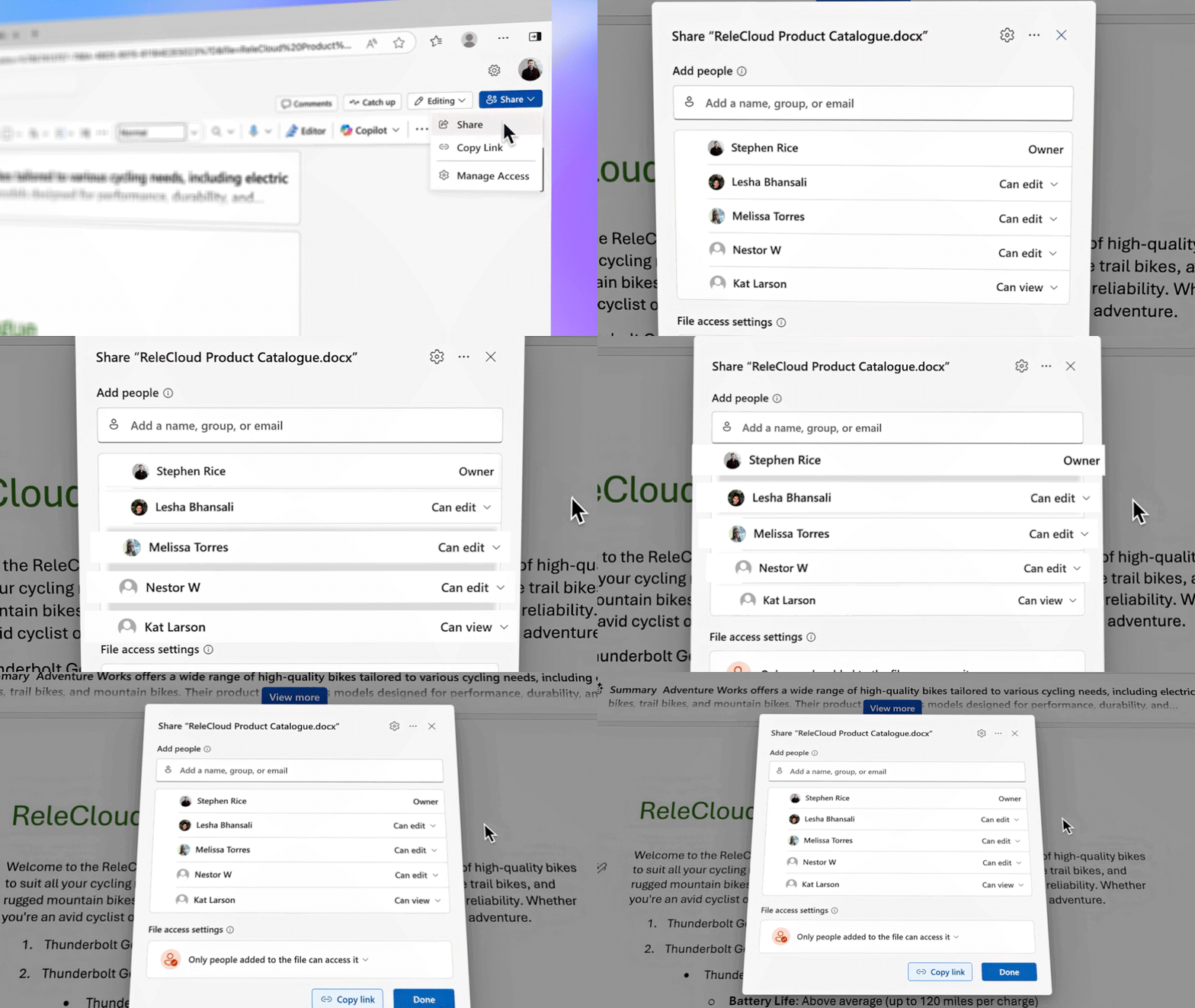
Microsoft is moving to a Hero Link model, a single primary sharing link for a file or folder. You can tighten or relax permissions on that same URL as needs change, and you do not force everyone to update bookmarks. Copilot can also add a short description for recipients so they open with context. If you run deal rooms, launches, or project workstreams, this cuts back on the access denied merry go round and reduces duplicate links that cause confusion.
The small button that changes habits

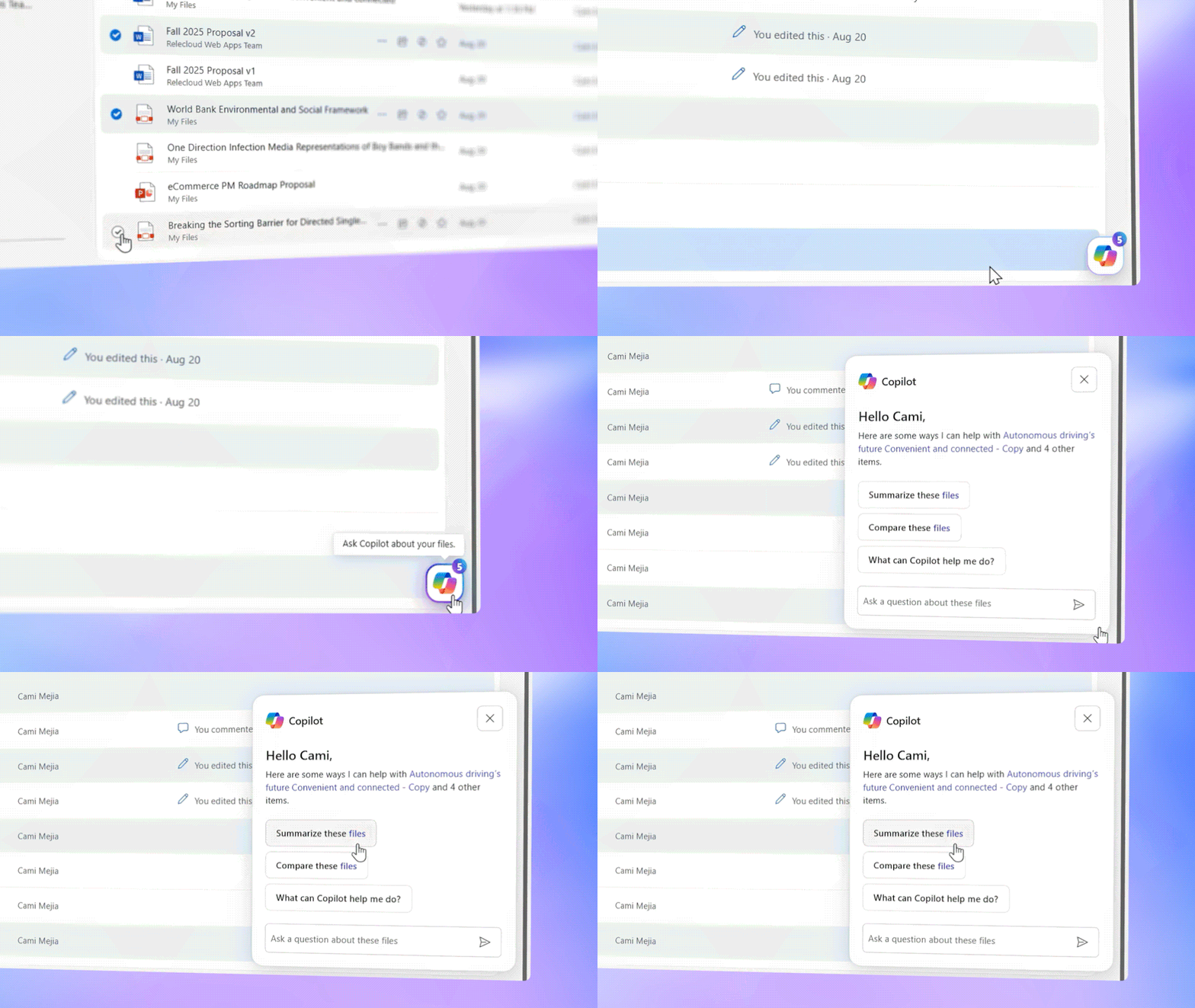
There is a Copilot icon in OneDrive on the web and mobile. Open a doc, deck, PDF, meeting recording, or even a whiteboard image, then ask questions, get a short summary, or compare versions.
Generate audio overviews

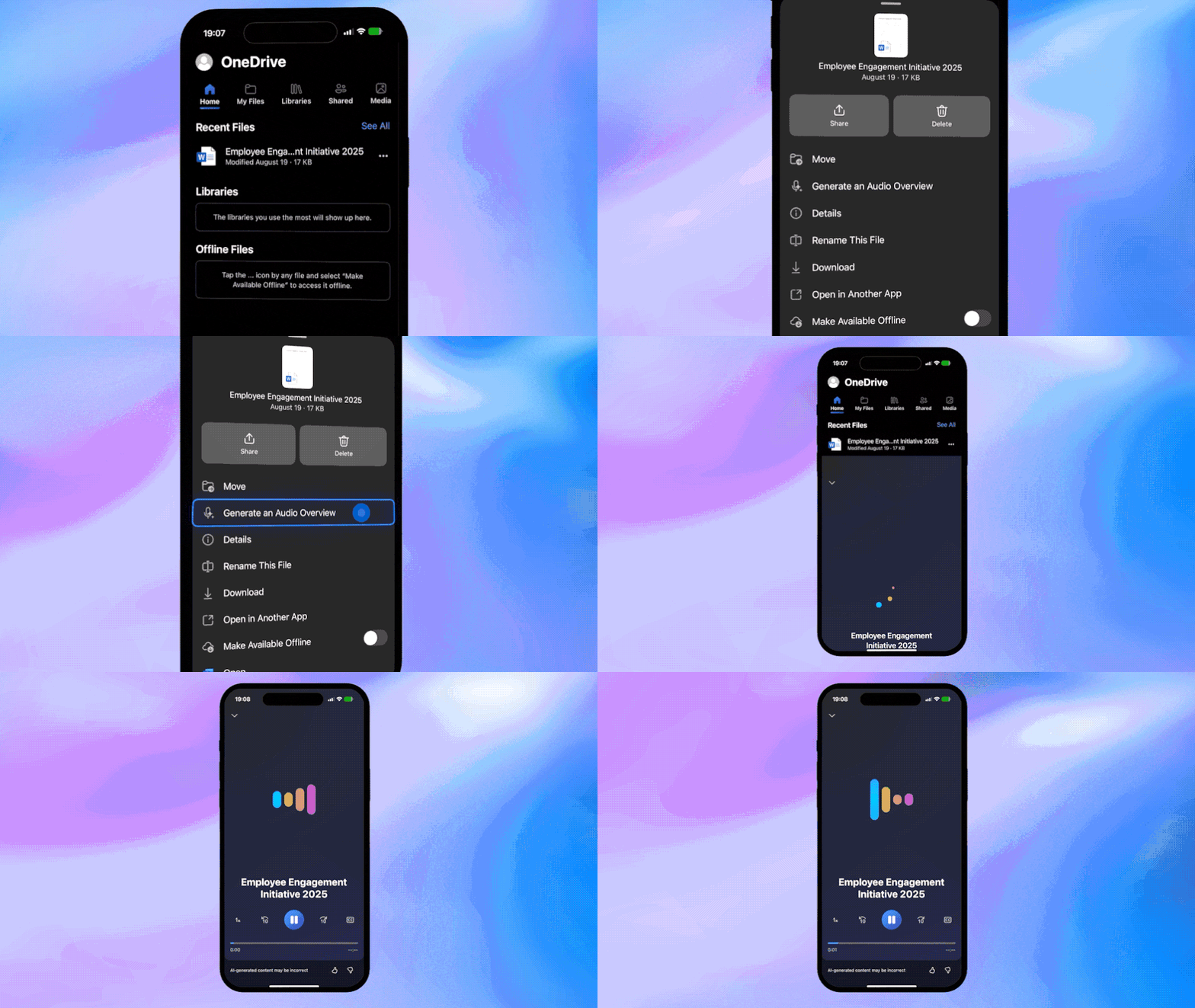
Pick a tone, for example executive or podcast style, and Copilot records an audio brief you can play in the car or between meetings. This is perfect for long decks, monthly reviews, or discovery notes. I have started attaching the audio overview to status updates so sponsors can absorb the key points without opening the file. This is not flashy, it just saves time and helps busy leaders stay in sync.
Cloud first creation that sticks

New Word on Windows, currently rolling out to Insiders, saves to OneDrive by default with autosave. Fewer stray local copies, fewer “which version is the right one” chats. Add to OneDrive lets you pin shared library folders beside your own files, and File Explorer now highlights the people involved so you can jump to Teams or Outlook in one click. Small touches, real impact.

Two admin friendly pieces stand out


Bulk Transfer lets admins reassign a leaver’s OneDrive in a few clicks, with options to hand ownership to an individual or a group. The transfer preserves folder structure and sharing context, so project teams are not left hunting for critical files. Bake this into your joiners, movers, leavers runbook, add an approval step, then track completion as part of offboarding.
Microsoft 365 Archive moves low change spaces out of the way while keeping content discoverable. That keeps Copilot results fresher and reduces noise in everyday search.

What is next

Expect tighter search that returns grounded answers, lightweight agents you can share at the folder level, and a hook into Copilot Researcher so you can jump from files to plans in a few clicks. If you are designing a knowledge operating model for 2026, plan for agents that live with your content and respond in place.

First features to try this week

  1. Copilot on files
    Open a doc, deck, PDF, or meeting recording in OneDrive, then ask Copilot for a summary, action items, or an audio brief. It is the fastest way to turn long content into something you can use.
  2. Hero Link with context
    Share using the Hero Link, then adjust permissions on the same URL as stakeholders change. Add a short Copilot generated description so recipients open with the right context.
  3. Version compare for reviews
    From OneDrive, ask Copilot to compare the current file to a prior version and list what changed, who changed it, and what still needs a decision. Use it before approvals or handoffs.
  4. Estate visibility and continuity
    Turn on the Sync Health Dashboard and set a simple alert for spikes in failures. Add Bulk Transfer to your offboarding checklist so ownership moves cleanly and projects do not stall.

My take

The primary link is the star here. Finally. Years of broken links, permission resets, and new URLs for the same file have trained everyone to ask, can you send it again. One stable link that you can tighten or relax as the audience changes is the obvious fix, and it should have arrived sooner. Pair that with Copilot living next to the file, not in a separate window, and you get a calmer rhythm for daily work. Fewer pings, fewer do you have the latest, more time on the decision you actually need to make. OneDrive is becoming the backbone for everyday knowledge tasks, Copilot is the assistive layer that keeps it moving.

Availability

  • Hero Link, rolling out now through late 2025, timing varies by cloud instance.
  • Audio overviews, live today in the OneDrive mobile app for work or school accounts (English first).
  • Cloud first creation in Word, available in Insider builds now, broader release follows the usual rings.
  • Sync Health Dashboard and Graph Data Connect export, available today in the Microsoft 365 Apps Admin Center.
  • Bulk Transfer, starting to roll out after the October 2025 announcements, cadence varies by tenant and region.
Microsoft Blog post

Microsoft Unleash Productivity Gains with Copilot Wave 2

In an era where digital collaboration and productivity tools are essential for businesses and individuals alike, Microsoft 365 continues to lead the way with its innovative updates and features. The recent unveiling of Copilot Wave 2 brings a wave of new enhancements designed to streamline workflows, foster creativity, and empower users to achieve more in their daily tasks.

Introducing Pages: Elevating Document Collaboration

With the introduction of Pages in Copilot Wave 2, Microsoft 365 is setting a new standard for document collaboration. Pages allow users to create visually appealing and engaging documents effortlessly, combining the power of real-time collaboration with a wide range of multimedia content options. Whether it’s a sleek presentation, a professional report, or a visually stunning brochure, Pages provide users with the tools they need to bring their ideas to life in a seamless and intuitive manner.

Users can choose from a variety of pre-designed templates or start from scratch to customise their documents to suit their specific needs. With the ability to insert images, videos, charts, and more, Pages offer a dynamic and interactive platform for sharing ideas, feedback, and insights with colleagues and stakeholders. Collaboration has never been easier or more engaging, thanks to this innovative addition to the Microsoft 365 suite.

Enhancements across Copilot for M365

Excel: Now includes Python integration for advanced data analysis and visualisation, no coding required.

Example – A financial analyst needs to project next quarter’s sales. Using Excel’s Python integration, they can simply prompt the AI to “forecast sales growth based on the last three quarters.” The AI performs advanced data analysis and delivers insights, including visual charts and graphs. This simplifies data analysis for non-coders, accelerating decision-making.

PowerPoint: The narrative builder helps craft professional presentations quickly, with tools for brand consistency.

Example – A manager preparing for a quarterly business review can leverage PowerPoint’s AI features to swiftly create a presentation. By providing key points such as “sales growth,” “market trends,” and “future strategies,” the AI generates a complete slide deck with charts and bullet points. This enables the manager to focus on refining the content rather than spending time on slide design.

Teams: Copilot now analyses both meeting transcripts and chats, ensuring all ideas and questions are captured.

Example – During a project meeting, participants typically share updates, ask questions, and brainstorm ideas. With Copilot in Teams, the AI generates a comprehensive meeting summary, highlighting key points, action items, and decisions. Afterward, team members receive a concise report, making it easier to track responsibilities and follow-up tasks without needing to review lengthy meeting notes.

Outlook: Use AI to prioritise your inbox, summarizing emails and highlighting key messages.

Example – A support manager receives hundreds of emails each day. Outlook’s AI can sort these emails, prioritise urgent customer complaints, and provide brief summaries. This allows the manager to quickly address critical issues without being bogged down by less important messages. Over time, the AI adapts to the manager’s preferences, improving its ability to flag high-priority emails.

OneDrive: Leverage AI-driven insights to easily search and compare information across your files.

Example – You’re an analyst handling contracts and financial reports, you often need to identify meaningful differences between files. With Copilot in OneDrive, you can save time by quickly comparing up to five files, highlighting key differences in an easy-to-read table format—without even needing to open the files.

Embracing Agents: Personalized AI Assistance at Your Fingertips

Agents represent a new frontier in intelligent virtual assistance, offering personalised recommendations and proactive suggestions to help users optimise their productivity and workflows within the Microsoft 365 environment. Leveraging the power of AI and machine learning, Agents are designed to understand user behaviours, preferences, and patterns, providing tailored guidance and support to streamline tasks and enhance the overall user experience.

From suggesting relevant documents and resources to automating routine tasks and reminders, Agents act as intelligent companions that anticipate users’ needs and offer solutions in real-time. By incorporating Agents into the Microsoft 365 ecosystem, users can benefit from a more personalised, efficient, and intuitive work environment that empowers them to focus on what matters most.

Summary

Microsoft 365 Copilot Wave 2 represents a significant leap forward in reimagining how users collaborate, analyse data, and interact with digital tools in the modern workplace. By introducing innovative features such as Pages, Python in Excel, and Agents, Microsoft is reaffirming its commitment to empowering users with cutting-edge capabilities that drive productivity, creativity, and efficiency.

Although businesses can significantly benefit from these advancements, they must carefully consider the advantages alongside potential data security concerns. As Microsoft rolls out these features, it will be essential for the company to strike a balance between innovation and user trust.

Microsoft 365 Blog: Copilot Wave 2 announcement post here.