
Copilot in OneDrive, real Modern Work wins, and finally one link that does not break

Microsoft has brought Copilot into the heart of OneDrive. The result is simple, you get answers and summaries next to the files you already use. Below is what matters for enterprise teams, the first features to try, and the guardrails to keep in place.
Sharing that does not break your links

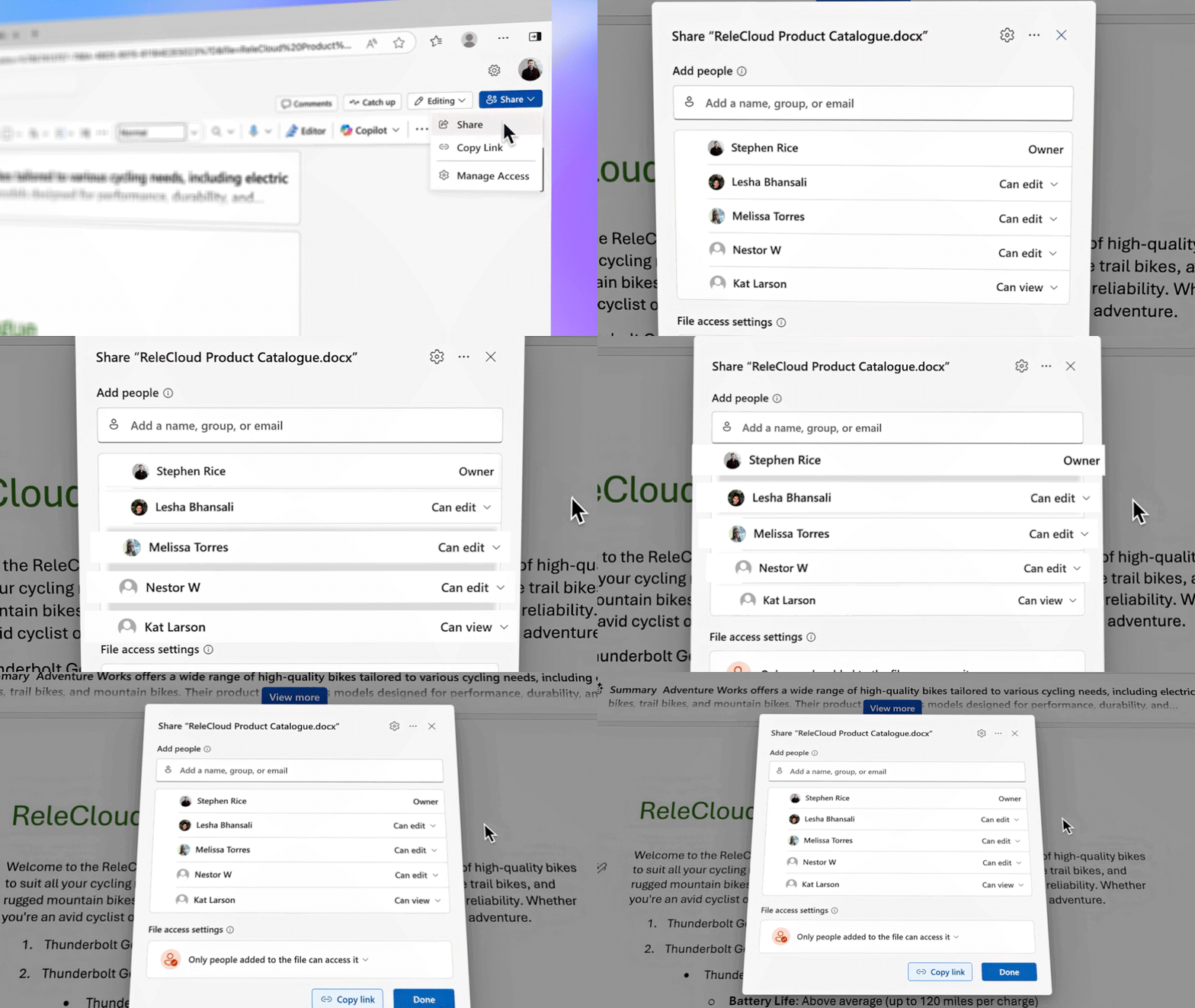
Microsoft is moving to a Hero Link model, a single primary sharing link for a file or folder. You can tighten or relax permissions on that same URL as needs change, and you do not force everyone to update bookmarks. Copilot can also add a short description for recipients so they open with context. If you run deal rooms, launches, or project workstreams, this cuts back on the access denied merry go round and reduces duplicate links that cause confusion.
The small button that changes habits

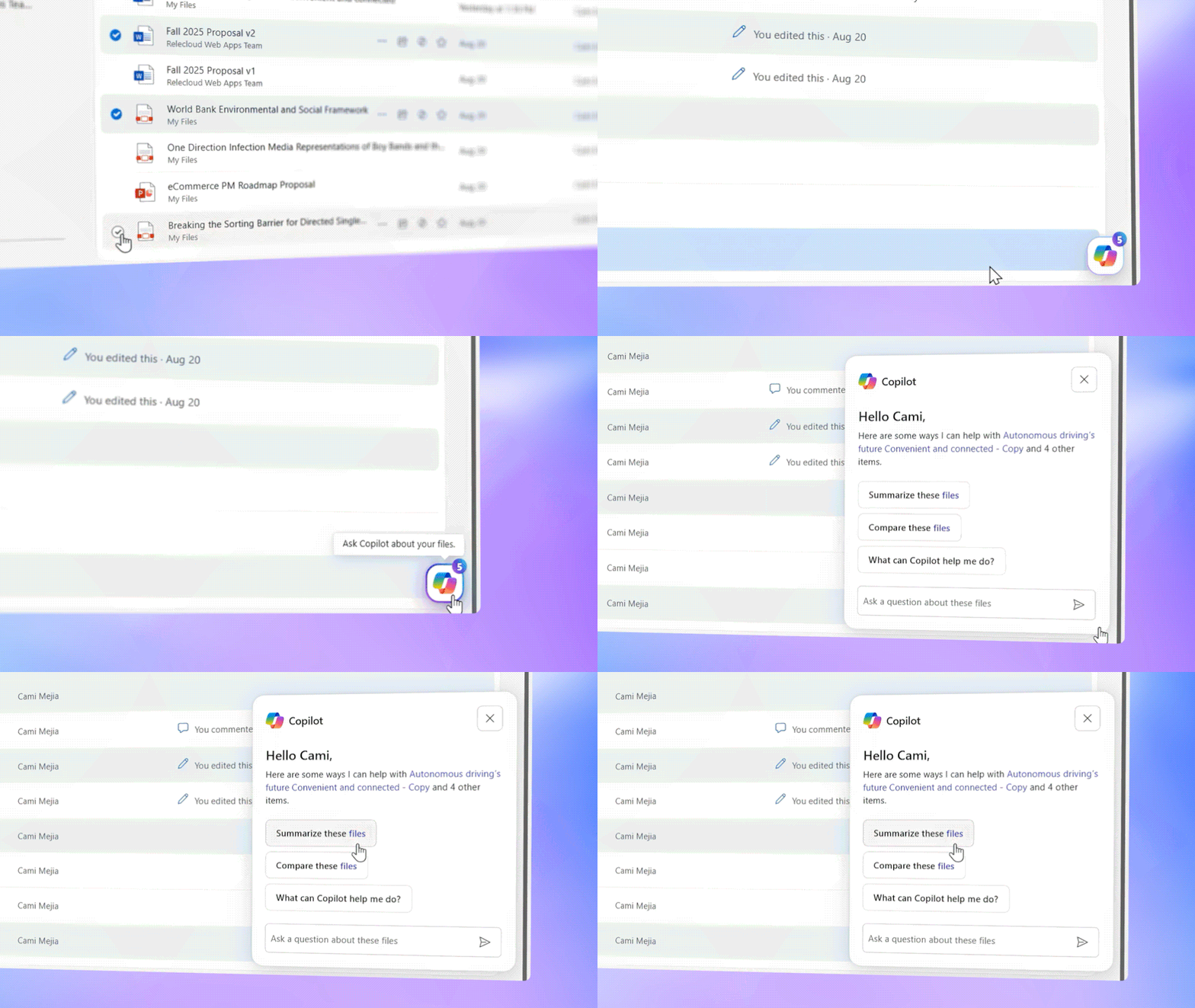
There is a Copilot icon in OneDrive on the web and mobile. Open a doc, deck, PDF, meeting recording, or even a whiteboard image, then ask questions, get a short summary, or compare versions.
Generate audio overviews

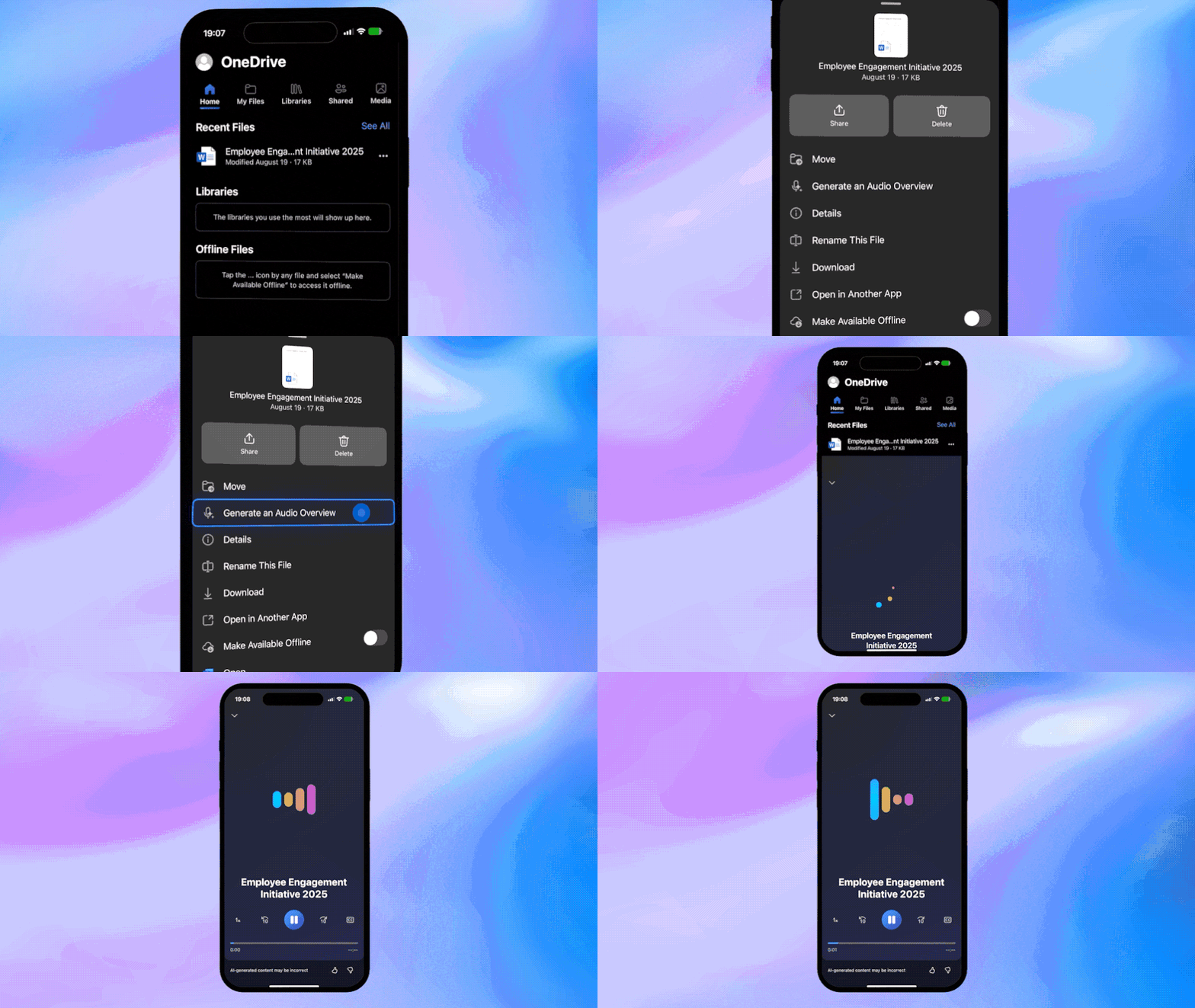
Pick a tone, for example executive or podcast style, and Copilot records an audio brief you can play in the car or between meetings. This is perfect for long decks, monthly reviews, or discovery notes. I have started attaching the audio overview to status updates so sponsors can absorb the key points without opening the file. This is not flashy, it just saves time and helps busy leaders stay in sync.
Cloud first creation that sticks

New Word on Windows, currently rolling out to Insiders, saves to OneDrive by default with autosave. Fewer stray local copies, fewer “which version is the right one” chats. Add to OneDrive lets you pin shared library folders beside your own files, and File Explorer now highlights the people involved so you can jump to Teams or Outlook in one click. Small touches, real impact.

Two admin friendly pieces stand out


Bulk Transfer lets admins reassign a leaver’s OneDrive in a few clicks, with options to hand ownership to an individual or a group. The transfer preserves folder structure and sharing context, so project teams are not left hunting for critical files. Bake this into your joiners, movers, leavers runbook, add an approval step, then track completion as part of offboarding.
Microsoft 365 Archive moves low change spaces out of the way while keeping content discoverable. That keeps Copilot results fresher and reduces noise in everyday search.

What is next

Expect tighter search that returns grounded answers, lightweight agents you can share at the folder level, and a hook into Copilot Researcher so you can jump from files to plans in a few clicks. If you are designing a knowledge operating model for 2026, plan for agents that live with your content and respond in place.

First features to try this week

  1. Copilot on files
    Open a doc, deck, PDF, or meeting recording in OneDrive, then ask Copilot for a summary, action items, or an audio brief. It is the fastest way to turn long content into something you can use.
  2. Hero Link with context
    Share using the Hero Link, then adjust permissions on the same URL as stakeholders change. Add a short Copilot generated description so recipients open with the right context.
  3. Version compare for reviews
    From OneDrive, ask Copilot to compare the current file to a prior version and list what changed, who changed it, and what still needs a decision. Use it before approvals or handoffs.
  4. Estate visibility and continuity
    Turn on the Sync Health Dashboard and set a simple alert for spikes in failures. Add Bulk Transfer to your offboarding checklist so ownership moves cleanly and projects do not stall.

My take

The primary link is the star here. Finally. Years of broken links, permission resets, and new URLs for the same file have trained everyone to ask, can you send it again. One stable link that you can tighten or relax as the audience changes is the obvious fix, and it should have arrived sooner. Pair that with Copilot living next to the file, not in a separate window, and you get a calmer rhythm for daily work. Fewer pings, fewer do you have the latest, more time on the decision you actually need to make. OneDrive is becoming the backbone for everyday knowledge tasks, Copilot is the assistive layer that keeps it moving.

Availability

  • Hero Link, rolling out now through late 2025, timing varies by cloud instance.
  • Audio overviews, live today in the OneDrive mobile app for work or school accounts (English first).
  • Cloud first creation in Word, available in Insider builds now, broader release follows the usual rings.
  • Sync Health Dashboard and Graph Data Connect export, available today in the Microsoft 365 Apps Admin Center.
  • Bulk Transfer, starting to roll out after the October 2025 announcements, cadence varies by tenant and region.
Microsoft Blog post

Beyond One-Size-Fits-All AI: What Model Choice Means for Copilot and Modern Work

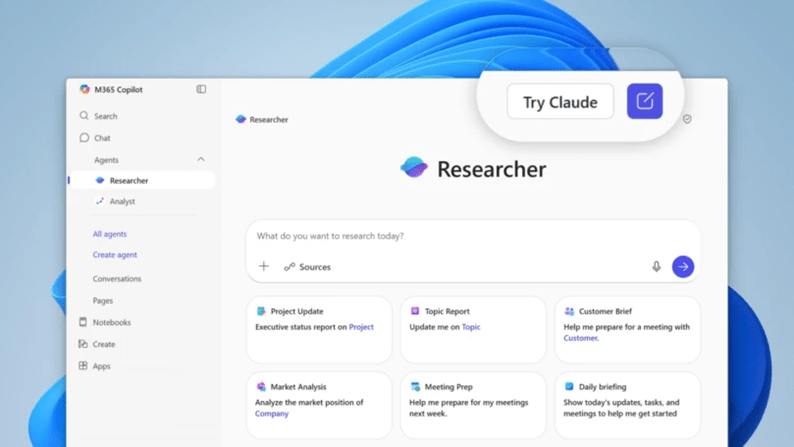
Microsoft is opening up model choice in Microsoft 365 Copilot. Alongside OpenAI models, you can now bring Anthropic’s Claude models into specific experiences like the new Researcher agent and when you build agents in Copilot Studio. For Modern Work leaders, this shifts the conversation from which single LLM to use, to which model fits each job, under the right guardrails.

I like this change because it treats AI as an operating capability, not a magic feature. With model choice, we can design for outcomes, align risk to data classes, and get smarter about cost and performance over time.

The quick take

  • You can choose the model per task, starting with Researcher and Copilot Studio.
  • You can mix models inside one solution, routing different tasks to the model that performs best.
  • Governance needs a clear decision when enabling Anthropic in Microsoft 365, because some Microsoft commitments do not apply to third party processing.
  • This is a portfolio decision, not a one time bet on a single model.

Why Modern Work leaders should care

  1. Task fit beats brand preference
    Different models shine at different jobs. Long form reasoning, structured extraction, brainstorming, and policy aware drafting do not always need the same engine. With choice, you can assign the right model to the right work, measure outcomes, and avoid the model monoculture trap.
  2. Cleaner governance conversations
    Risk teams can finally review model use per scenario, not as an all or nothing decision. You can approve Anthropic for specific tasks and data classes, document the terms, and keep everything else on Microsoft’s default path. That keeps innovation moving, without creating shadow AI.
  3. Better economics without cutting quality
    Once you benchmark quality, latency, and token spend, you can reserve premium reasoning models for high impact tasks, and use more efficient options for routine flows. That is how AI moves from interesting to economical.

What to do in the short term

Here is a pragmatic plan you can run without a giant program. It keeps scope tight and focuses on results your business sponsors will understand.

1. Pick three real tasks
Choose one knowledge task, one writing task, and one data task. Examples, a policy summary for Legal, an executive brief for a sales pursuit, and a requirements extraction from meeting notes.

2. Define simple guardrails
For each task, agree the data class, any residency needs, and whether Anthropic is allowed. Note that when you use Anthropic inside Microsoft 365, some Microsoft product terms and commitments do not apply. Record that decision in your risk register and move on.

3. Run a bake off
Use the same inputs and scoring rubric. Measure accuracy, reviewer confidence, latency, and token usage. Ask the reviewers a simple question, would you ship this as is, yes or no. Capture the why.

4. Set routing rules
For each task, choose a primary model and a fallback. Define a switch rule, for example if accuracy drops below a threshold, try the fallback. Keep the rules short and testable.

5. Ship one small agent
Use Copilot Studio to encode the routing. Keep prompts in source control, store the benchmark set, and schedule a quarterly re test. Share the results with your risk committee and your business sponsors.

Talk about this with stakeholders

  • For CIOs and CTOs, this is about choice, control, and runway. We keep Copilot as the experience our users love, we expand the engines under the hood, and we keep tight control over when and how a third party model is used.
  • For CISOs and DPOs, this is about transparent data flows. We document when tasks call Anthropic, we reference the applicable terms, and we narrow usage to approved data classes.
  • For Finance, this is about unit economics. We track cost per successful task, not just tokens. We show where premium models drive revenue or risk reduction, and where efficient models keep costs low.

Common questions I hear

Do we need a big RFP now
No. Start with a limited set of tasks and a short benchmark. Prove value, then scale.

Will users notice a difference
Not if you design the experience well. Keep Copilot as the front door, route behind the scenes, and focus on quality and latency.

Is this safe for regulated data
Treat it like any other third party processing decision. Classify the data, apply policy, record the terms, and limit usage where needed. If the data is sensitive and policy does not allow it, keep that task on Microsoft’s default model path.

A simple maturity ladder

  • Level 1: Default only, everything runs on Microsoft’s default model.
  • Level 2: Controlled trials, selected tasks approved to use Anthropic with documented terms.
  • Level 3: Policy aware routing, Copilot Studio agents route per task, with audit and quarterly re tests.
  • Level 4: Outcome engineering, teams manage a small model portfolio, publish benchmarks, and continuously improve prompts, tools, and routing rules.

Final thought

Model choice in Microsoft 365 Copilot is not about picking a winner, it is about building a repeatable way to match tasks to models, with clear controls and measurable outcomes. Start small, measure honestly, and let the results guide you. Your users will not care which model you chose, they will care that the execution is fit for purpose, fast, and safe.